Choose how the web Terminal alerts you about order fills and stop fills. Use these settings to adjust sound levels, place on-screen confirmations, or diagnose a preview that you cannot hear or see.
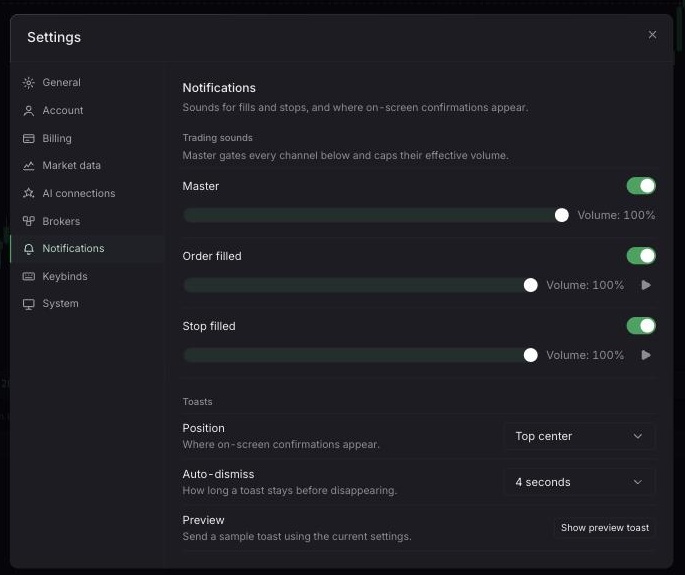
Open Settings > Notifications in the web Terminal.
Enable Master and set its volume.
Configure the Order filled and Stop filled channels and set each channel volume.
Select Preview for the relevant sound.
Choose the toast position and auto-dismiss duration.
Select Show preview toast to test the on-screen confirmation separately from audio.
Confirm Master and the relevant channel are enabled with volume above zero. Check browser tab audio, device volume, operating-system output, and browser audio permissions, then interact with the page and try Preview again.
These controls apply only to web-terminal sounds and toasts. Browser and operating-system audio policies can still block playback.
