The Trades widget is for post-trade review: completed trade records with timing, average entry and exit, direction, costs, net result, and running balance. It is a completed-trade summary rather than an individual-fill ledger, so average prices can combine several executions, and an entry fill with a position still open is not yet a trade here. Every instance reads the currently selected account.
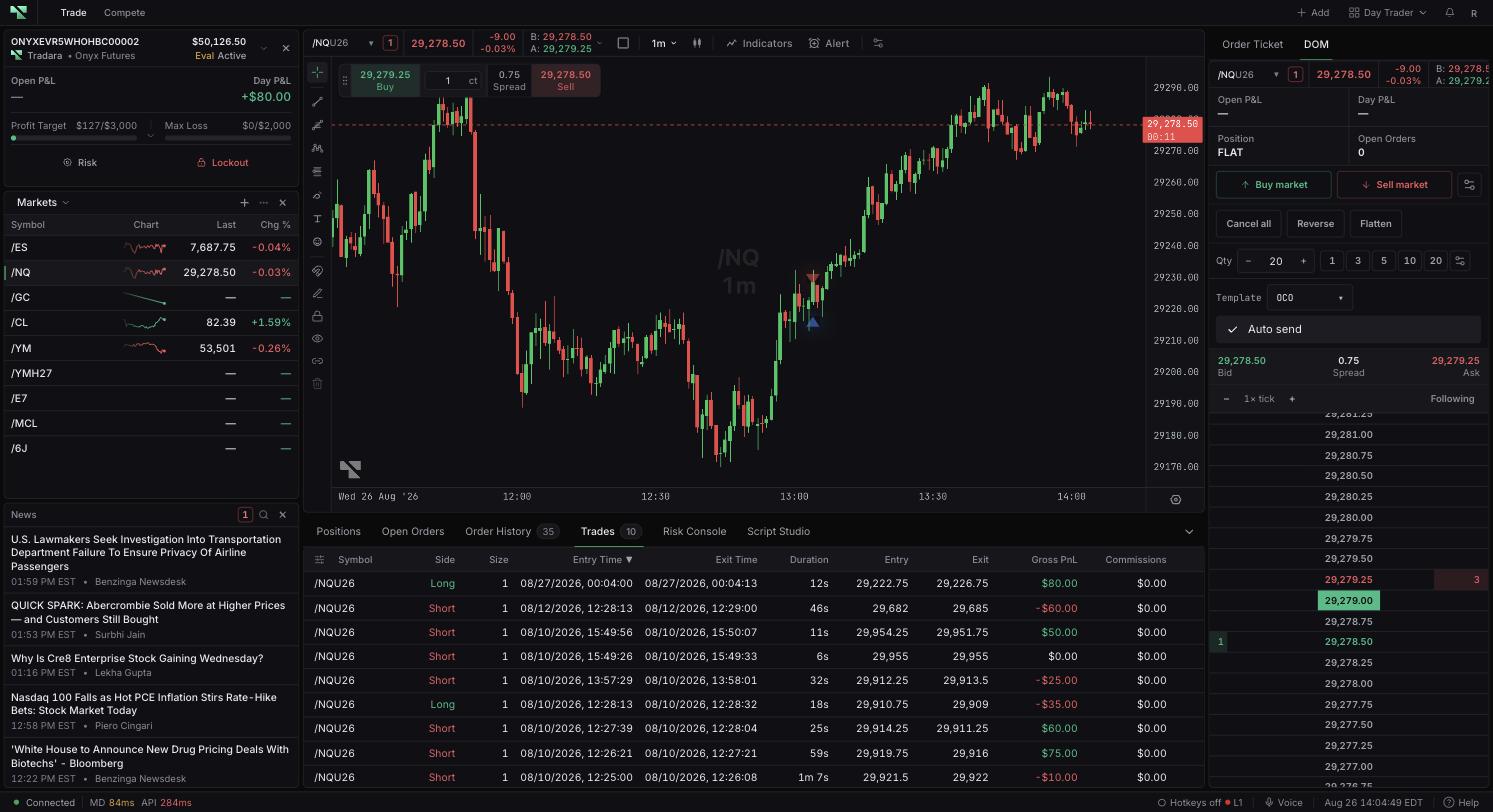
Column
What it means
Symbol
Instrument traded.
Size
Completed trade quantity.
Entry Time
Date and time the trade opened.
Exit Time
Date and time the trade closed or last completed.
Duration
Elapsed time between entry and exit.
Entry
Average entry price.
Exit
Average exit price.
Gross PnL
Result before commissions and pass-through fees.
Commissions
Entry and exit commission total when available.
Fees
Other pass-through costs; hover to see available exchange, clearing, NFA, brokerage, IP, or routing detail.
Net PnL
Gross P&L less recorded commissions and fees.
Side
Long, short, buy, or sell direction recorded for the trade.
Balance
Running account balance associated with the completed trade.
ID
Unique trade ID; select the copy control for the full value.
Missing commission or fee data shows as —. When no explicit net value is supplied, net P&L can be derived from gross P&L minus the costs that are available.
Any heading sorts on selection and reverses on a second selection. Configure trades columns adds, removes, reorders, or restores fields, and dragging a heading divider resizes columns. Selecting a row highlights it, and selecting it again clears the highlight. There is no date or text filter.
Share PnL on a completed-trade row opens a card preview showing the symbol, side, entry, exit, net P&L, return percentage, your display name, and your profile link. Download or share only after checking that you are comfortable disclosing those details: a shared image carries trading and profile information outside Tradara and cannot be recalled once it is out.
Confirm whether the selected account is simulated, evaluation, simulated-funded, or live before reading performance across rows. Past results do not guarantee future fills, prices, payouts, or performance.
Select \+ Add in an editable workspace.
Choose Trades under Your book. Its card description is Your executed fills.
Confirm the selected account.
Loading trades… means completed records are still loading. A red error message means retrieval failed.
No trades yet. means no completed trade record is loaded for the account — check whether the position is still open.
If Commissions, Fees, or Net PnL shows —, the record may not include the required cost data.
If an instrument shows a shortened ID, symbol resolution has not completed; allow it to load or refresh.
