Place supported orders for the chart's instrument and active account, then read and manage chart trading overlays.
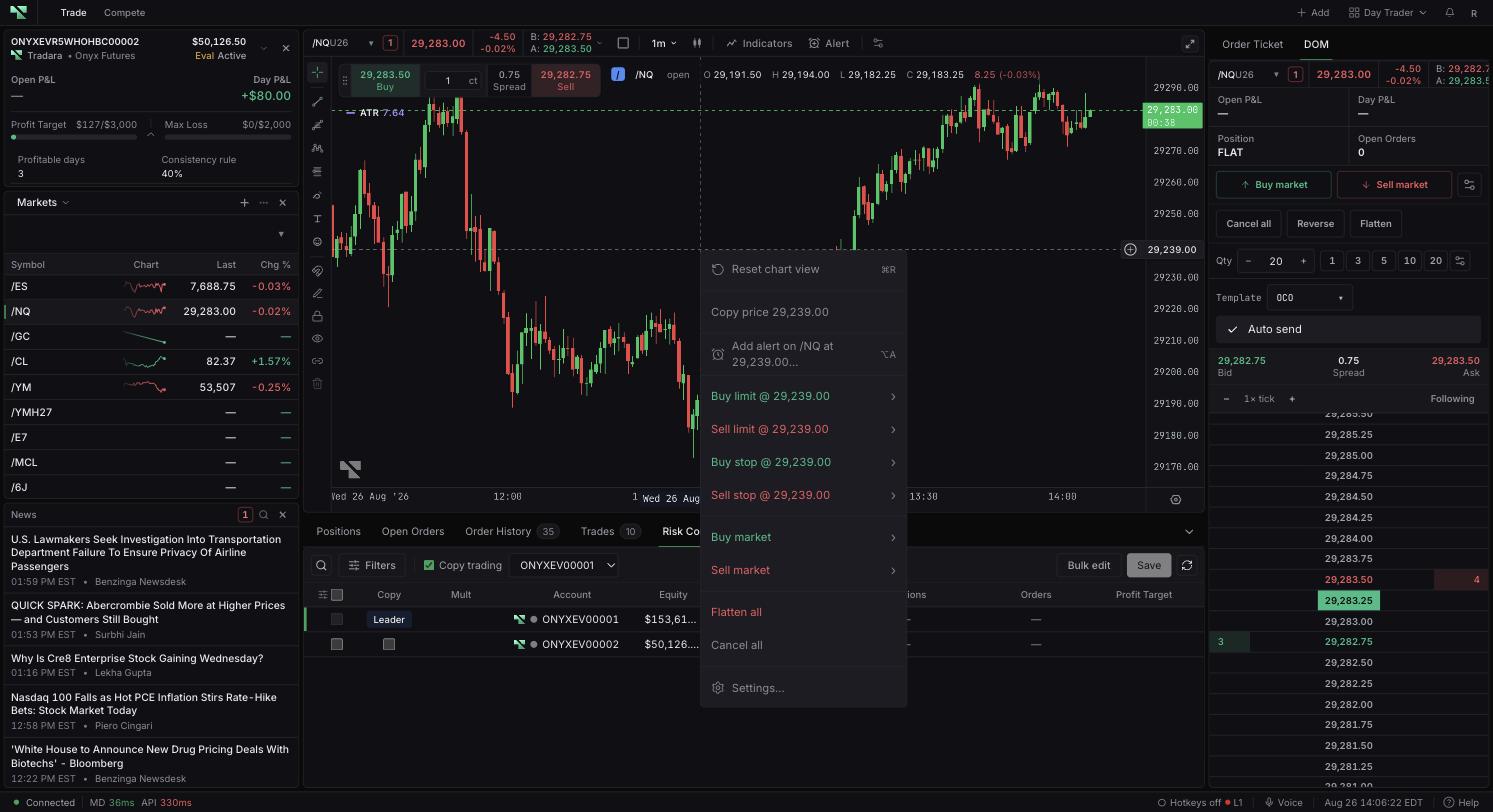
Select the intended trading account and exact contract. Confirm market-data access and whether one-click trading is enabled.
An instructional video will be added here to illustrate how to properly utilize chart trading controls.
Right-click the chart at the intended level.
Choose Buy market or Sell market, or the offered limit or stop row.
Choose quantity 1, 2, 3, 4, 5, or 10.
Confirm submission and verify the order in Open Orders or fills.
The menu also provides Flatten all and Cancel all. These broad actions can affect positions or orders beyond the visible symbol. Confirm the active account before using either.
Working orders show side, quantity, and price. Position tags show LONG or SHORT, quantity, entry, and available open P&L. Protection levels, execution marks, completed-trade highlights, alerts, and configured risk levels can also appear. Select a supported overlay to modify or cancel an order, close or reverse a position, or edit protection.
Working orders, fills, positions, and supported levels remain tied to their chart prices as you navigate.
Chart price is not a guaranteed execution price, and market orders can slip. Closing or reversing changes exposure. One-click mode removes a confirmation step. Confirm the selected account before submitting. Practice in a simulated account; evaluation and live accounts remain subject to rules and financial risk.
The chart projects authoritative records, but timing can briefly delay updates. A displayed protection line does not prove acceptance.
Cross-check markers with Open Orders, Order History, Trades, and Positions.
Verify authentication, account, instrument, entitlement, and reference price if actions are unavailable.
Inspect existing orders and fills before retrying a failed submission.
