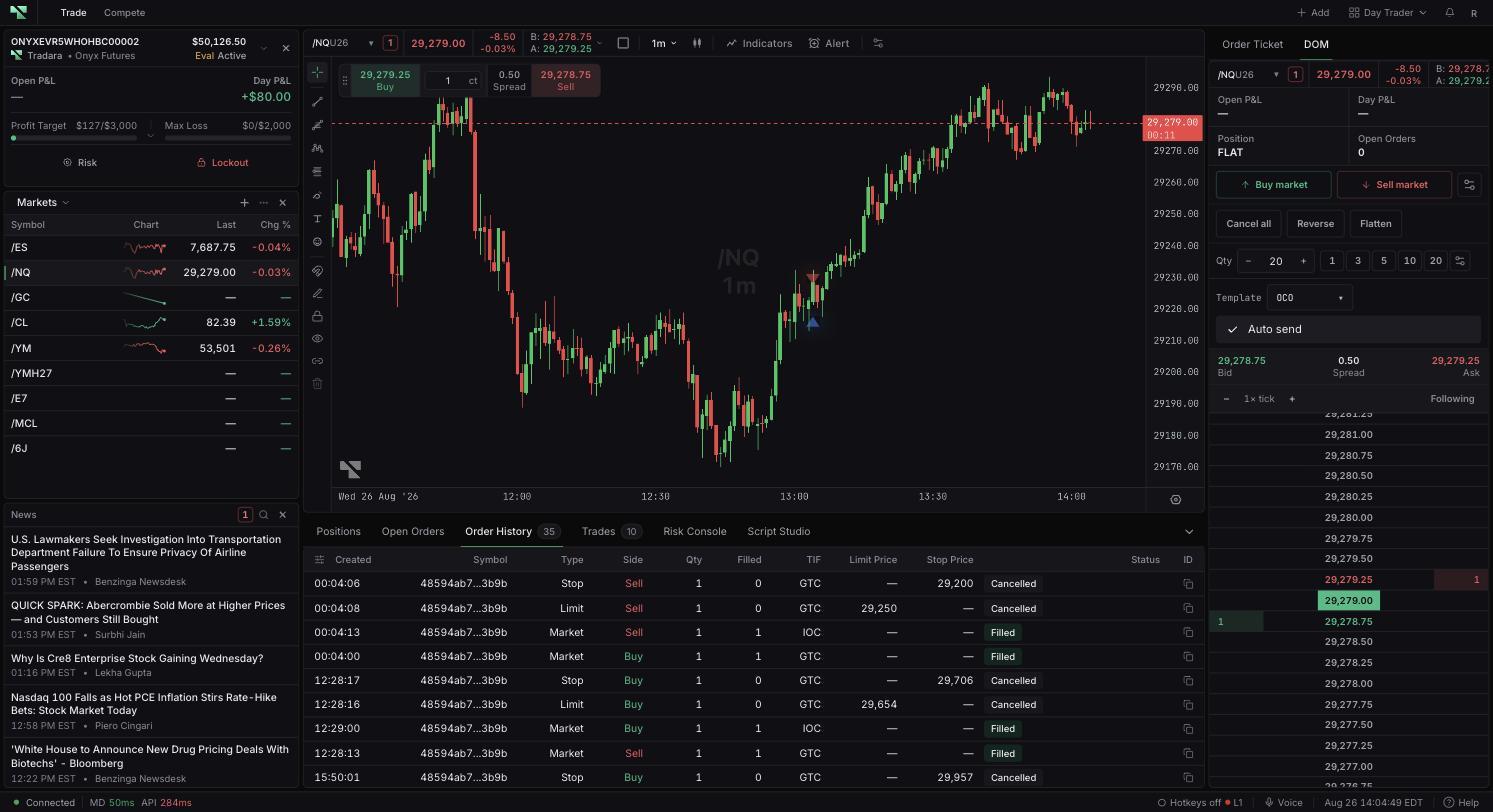
Time in force, or TIF, is the setting that tells the venue how long your order should stay alive if it does not fill immediately. It travels with the order once submitted, and it largely determines which order states you will see afterward — a resting order moves through working states, while an all-or-nothing order can reach a final state within a second of submission. The two topics are best learned together, with Open Orders and Order History open for the selected account.
Setting
Requested lifetime
GTC
Can remain working across sessions until filled or cancelled.
Day
Applies to the trading day or session.
IOC
Executes what it can immediately, then cancels any remainder.
FOK
Requires the full quantity immediately, or cancels entirely.
Time in force controls lifetime, not outcome. None of these settings guarantees execution.
Open Orders can show states such as Open, Pending, Submitted, Partially Filled, Cancelling, or Modifying. Compare Qty with Filled on the row to see how much of the order has actually executed.
Read these as requests in progress rather than results. Submitted does not mean filled, and Cancelling does not mean cancelled — a fill can still arrive while a cancellation or modification is in flight.
Order History holds orders that have reached Filled, Cancelled, Rejected, or Expired. Realtime updates and authoritative refreshes both advance an order's status, and a later final state is never replaced by an older update arriving out of sequence.
Because a status describes the order and not your exposure, use Trades and Positions to establish what actually executed and what you are holding. An order that seems to vanish from Open Orders almost immediately has usually gone to history under IOC or FOK handling; if a status instead looks stuck, compare all four trading tables and refresh.
Confirm the selected trading account before you submit. Simulated trading does not remove evaluation or live risk later.