Set the DOM's order values and use its ladder or configured actions to stage or submit an order.
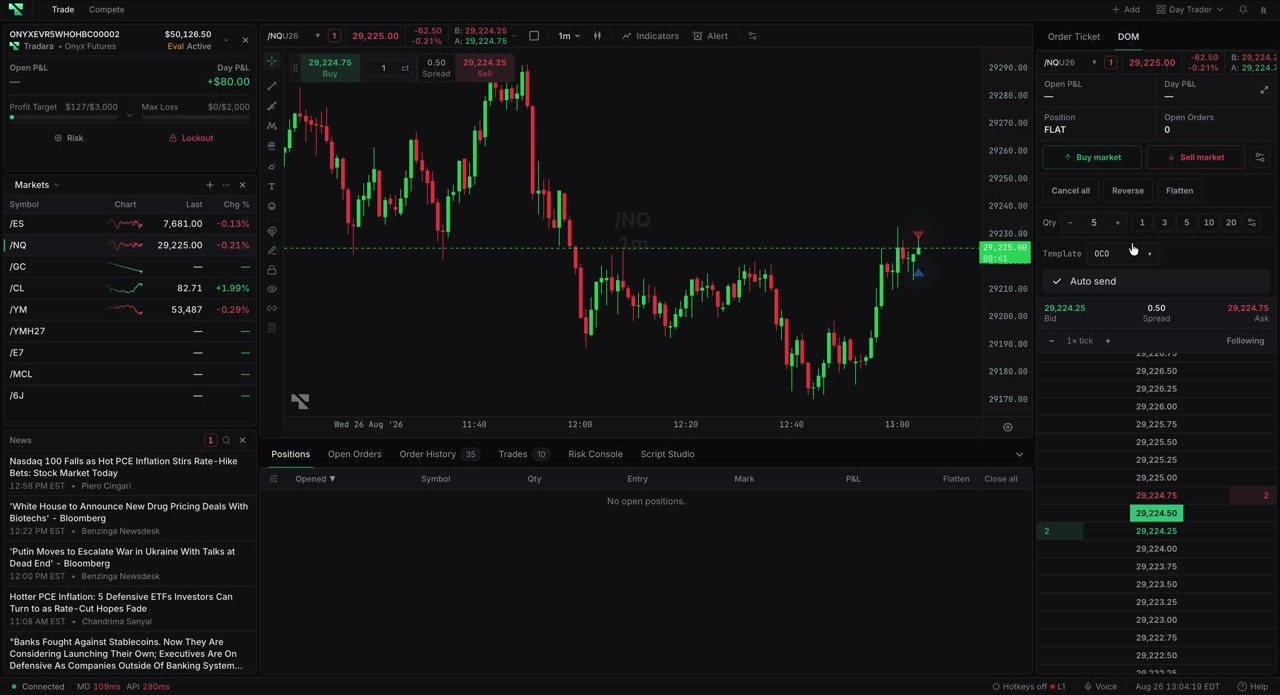
Select the intended trading account and exact contract. Review Auto-send before using the ladder.
Use the order-action bar to set Quantity; Day, GTC, IOC, or FOK; and LIMIT, STOP, TRAILSTOP, or MKT. Available Link values are LAST, BID, ASK, ASK/BID, MARK, and AVG PRC. Offset modes are Tick offset, Percentage offset, and Value offset. Use Customize order panel to choose and arrange actions.
Confirm account, contract, quantity, time in force, order type, and Auto-send.
Select the bid-side or ask-side cell at the intended price.
With Auto-send off, review the staged side and level, then submit with the configured action.
With Auto-send on, the click submits immediately.
Verify the result in Open Orders or fills.
Configured Buy market, Sell market, Buy bid/ask, and Sell bid/ask actions are also available.
Tradara reports the submitted order and refreshes order state. Working orders contribute to the DOM's Open Orders count.
The DOM remembers valid order-bar values, so a later click can use a previous quantity or TIF. Confirm the selected account and every value before submitting. Market orders can slip, and Auto-send removes a review step. Practice in a simulated account; evaluation and live accounts remain subject to rules and financial risk.
The ladder does not display or modify working-order rows. Use Open Orders for those actions.
Quantity must be a positive whole number; trailing stops require a positive offset.
Restore a missing control through Customize order panel.
Check account, instrument, entitlement, reference price, and account rules before retrying.
