
Use Accounts to review the evaluation criteria and rules Tradara receives for the selected account.
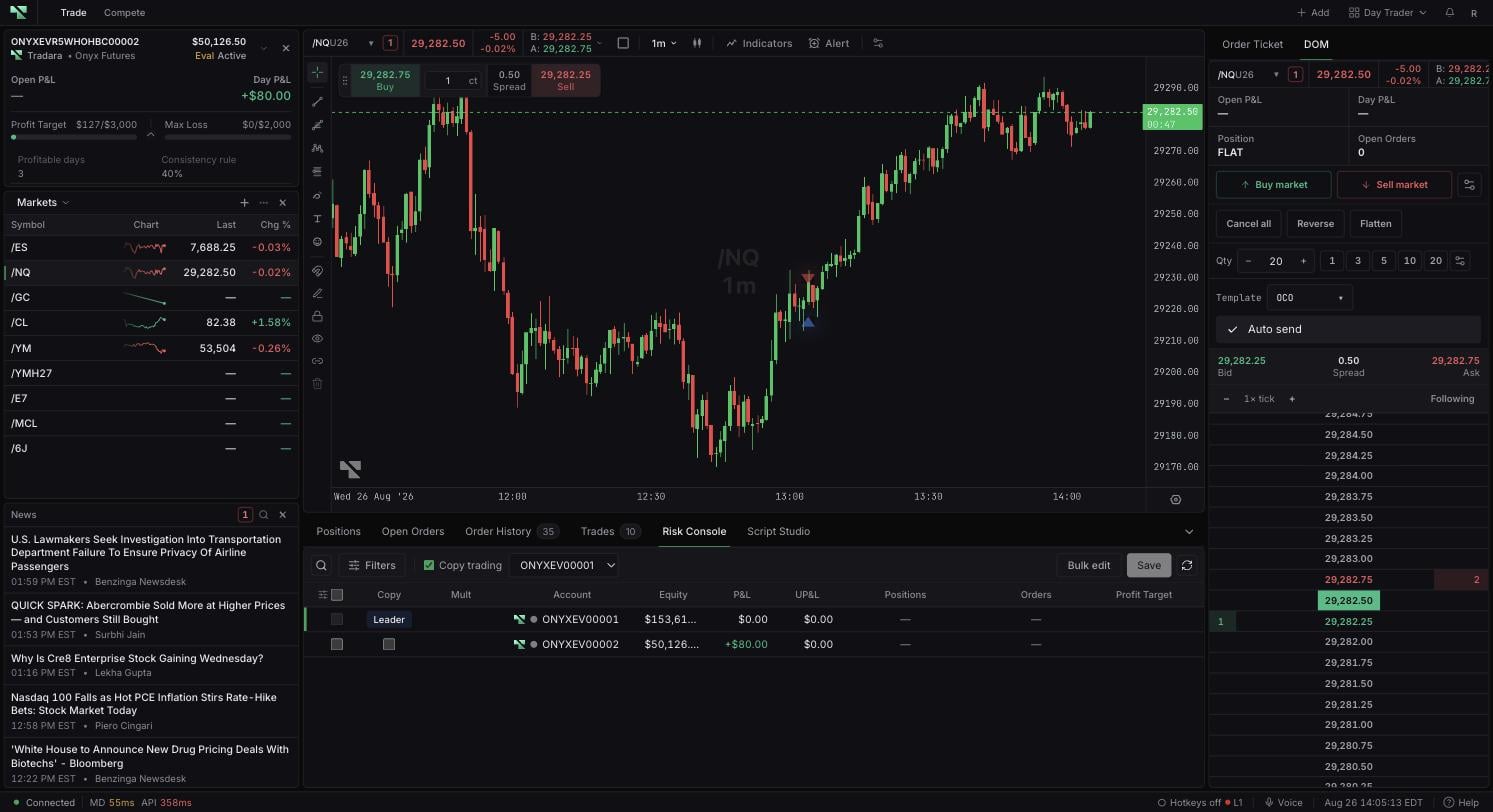
Review evaluation progress
Open Accounts and select an evaluation account.
Read Profit Target beside the current progress value.
Select Show additional account metrics.
Read Profitable days and Consistency rule when values are available.
Find other account rules
Expand the account metrics and review Profit Target or Daily Loss, Max Loss, status, and any lockout reason shown for the selected account.
Accounts shows the criteria and rules supplied for the selected account. A dash appears when a value is unavailable.
How to interpret displayed progress
Displayed progress is operational information, not a guarantee that an account will pass. Tradara does not replace the issuing firm’s terms or assume missing rule values.
If a rule value is missing
Confirm that you selected the intended account and account type.
Expand the additional metrics control if only summary bars are visible.
Record the account name and exact displayed values before refreshing.