Use the instrument catalog to select the intended market and understand the contract metadata Tradara uses for data and orders.
An instructional video will be added here to illustrate how to properly utilize instrument search and contract details.
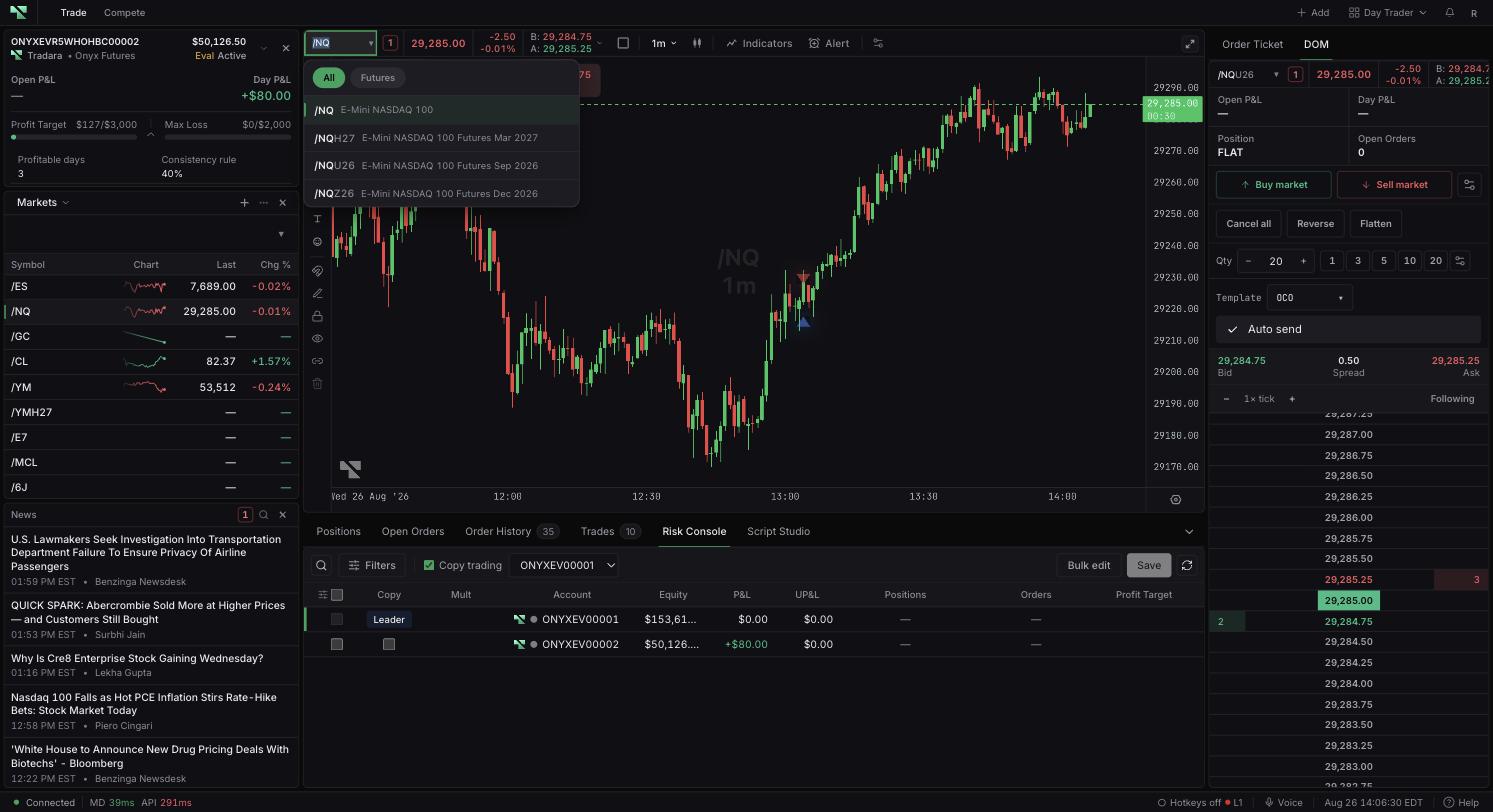
Open the symbol selector in the Chart toolbar or a supported widget header.
Type a symbol or instrument name, or use the Symbol and Group tabs to browse instead of typing.
Choose the intended contract or instrument from the results.
The Symbol tab lists individual instruments, including a curated set of popular continuous futures when the query is empty. The Group tab lists predefined baskets of related instruments — such as a set of currency futures or a set of related energy contracts — so you can add several correlated symbols to a watchlist in one action instead of searching for each one separately.
Verify the exchange and symbol shown after selection. Widgets on the same symbol link channel follow the change.
Activate a symbol field.
Search by product root, full contract symbol, or description.
Use arrow keys and Enter on desktop, or tap a result on touch devices.
Verify the description, exchange, and dated contract.
A product root can resolve to a current execution contract. A dated symbol identifies a specific contract through its month code and year. Tradara can display the root while retaining the resolved contract for market data and orders.
Open symbol search before the old contract expires or becomes illiquid.
Search the product root and inspect its resolved suffix, or select a newer dated contract.
Verify the chart, DOM, and order-entry surface show the intended contract.
Open Order info in the desktop Order Ticket when available. Tick size is the minimum price increment. Value per point describes monetary movement per point. Use quantity and value per point only as an exposure estimate, and enter tick-aligned prices.
Changing a symbol does not transfer open positions or working orders between contracts. Selecting a contract can change the market-data subscription used by that surface, so confirm the exact contract before trading. Catalog visibility does not guarantee liquidity, market-data access, or order acceptance. Estimates exclude fees, fills, and account rules.
Remove a leading slash or search a shorter product name if no result appears.
Check spelling and market-data availability if symbol search returns no results.
Reselect the catalog result if instrument metadata or contract resolution is unavailable.
Correct rejected limit or stop prices to a valid tick increment.
