The News widget streams market headlines into the terminal, either following the symbol channel of a linked widget or filtered by symbols and groups you choose yourself.
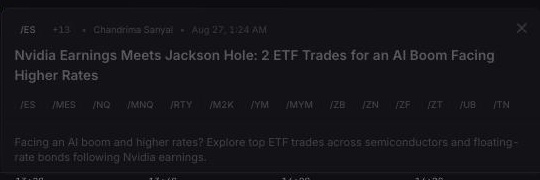
Headlines arrive newest-first and update in realtime, and selecting one opens whatever article detail the provider supplied without leaving the terminal. News here is informational content, and a headline can arrive without a resolved display symbol.
The link picker in the News header follows a symbol channel, and the widget resolves a linked futures contract up to its parent futures product for news filtering. Choosing the unlinked option lets you build a manual filter instead.
Filter news narrows the feed. All, Symbol, and Group control which suggestions appear, and each filter you add becomes a removable chip. Symbol filters accept continuous futures products.
Manual filters replace linked filtering rather than combining with it, so entering one unlinks the widget from its chart channel. Clearing the search removes all manual filters.
Each row shows its headline, an Eastern Time timestamp, and the source; narrow widgets fall back to a headline-only presentation. Selecting a headline opens the article view with the available body or teaser, associated symbols, source, and date, plus an image when one is supplied. Open original opens the source URL in a new browser tab when the article includes one — some providers supply neither full article text nor an original URL.
Scrolling near the bottom of the headline list loads the next available page.
Select \+ Add in an editable workspace.
Choose News under Market data. Its catalog description is Real-time market headlines.
Use the link picker to follow a symbol channel, or leave it unlinked and add manual filters.
You can add multiple News widgets, each with its own link or filters. The feed needs a signed-in session with a working realtime connection.
Loading news… means the first page is still being requested.
No articles match your filters. means the current symbol or group filters returned nothing; remove chips or select another link.
No news available. means the unfiltered request returned no usable headlines, or the feed is unavailable.
Full article text isn’t available here. Open the original to read more. means the provider supplied no body or teaser; use Open original when that button is present.
