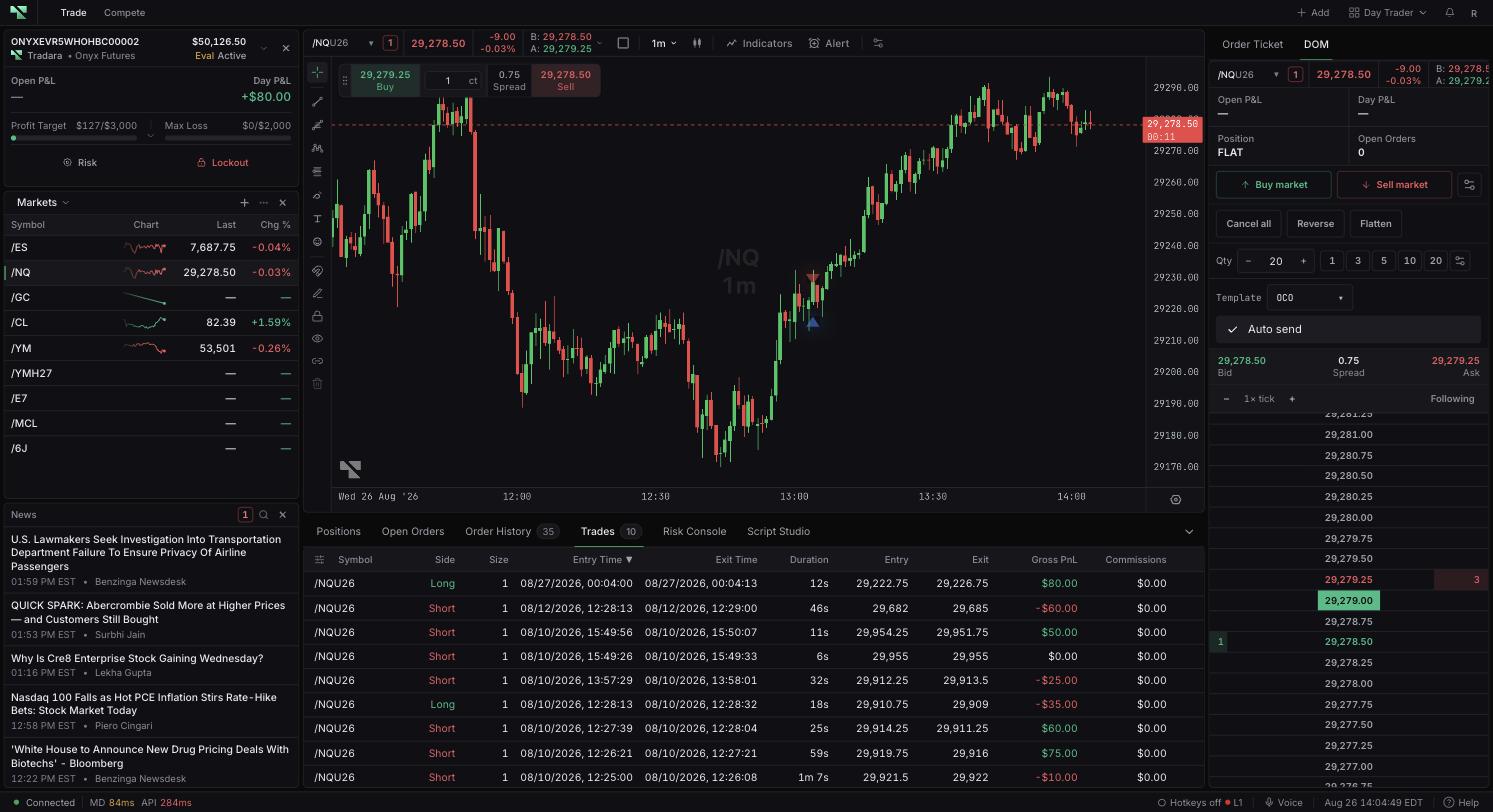
Four words that sound interchangeable mean four different things in Tradara, and the trading tables are organized around that distinction. An order is a request. A fill is an execution against that request. A position is your current net exposure. Trades summarizes activity that is finished. One order can produce several fills, and several fills can roll up into a single average price — which is why a submission is not a fill, and a filled entry order does not by itself produce a completed trade.
In Open Orders, compare Qty with Filled to see how much of an order has executed. If you cancel an order that is partially filled, you are requesting cancellation of the remainder only — the quantity that already completed stays effective and remains part of your position.
Sort Trades by Entry Time or Exit Time to narrow the time range, then match on symbol, side, size, and average entry and exit prices. Highlight the row and use Copy trade ID when you need to reference it elsewhere. Completed rows can show timing, average prices, P&L, costs, balance, and the trade ID.
This view offers sorting and column controls but no text or date filter, so narrowing by sort order is the way to locate an older trade.
Realtime fills update orders and positions first, and authoritative data reconciles them shortly after. If a trade you expect is not in Trades, check whether the resulting position is still open — an entry that has not been closed has no completed trade record yet. If values look like they are lagging, wait for reconciliation and refresh.
Bear in mind that average prices hide the individual fill levels behind them. For a fill-level review, provide Support with order and trade IDs plus timestamps.
Confirm the account you are reading. Simulated trading does not remove evaluation or live risk later.
